
WhatsApp has begun rolling out one of its biggest privacy upgrades yet: a username feature that enables users connect with people without ever sharing their phone numbers. Users worldwide can begin reserving a username on WhatsApp, ahead of the feature’s full in-app launch later this year. According to the Meta-owned company, the move is designed to give its more than three billion users a way to stay in touch with new people without handing over personal contact details. In this article, we will explain what the new feature is all about and how to reserve one.
What is WhatsApp username
WhatsApp is positioning username as a privacy tool that enables users to pick their own distinct identity on the app, and obscures their phone numbers. It can be exactly like your Instagram or Facebook handle, or it may be different from other Meta’s apps. You can quickly borrow and reserve your Instagram or Facebook username during reservation process for consistency across their accounts.
Why WhatsApp is introducing this
According to the company, the idea grew out of a common, everyday discomfort: sharing your phone number with someone you have just met. For example, you’ve met a person at an event, and do not want to exchange numbers at that particular time, or the same applies to group chats: joining a group of your society’s activities, for instance, often means handing your number to a room full of strangers.
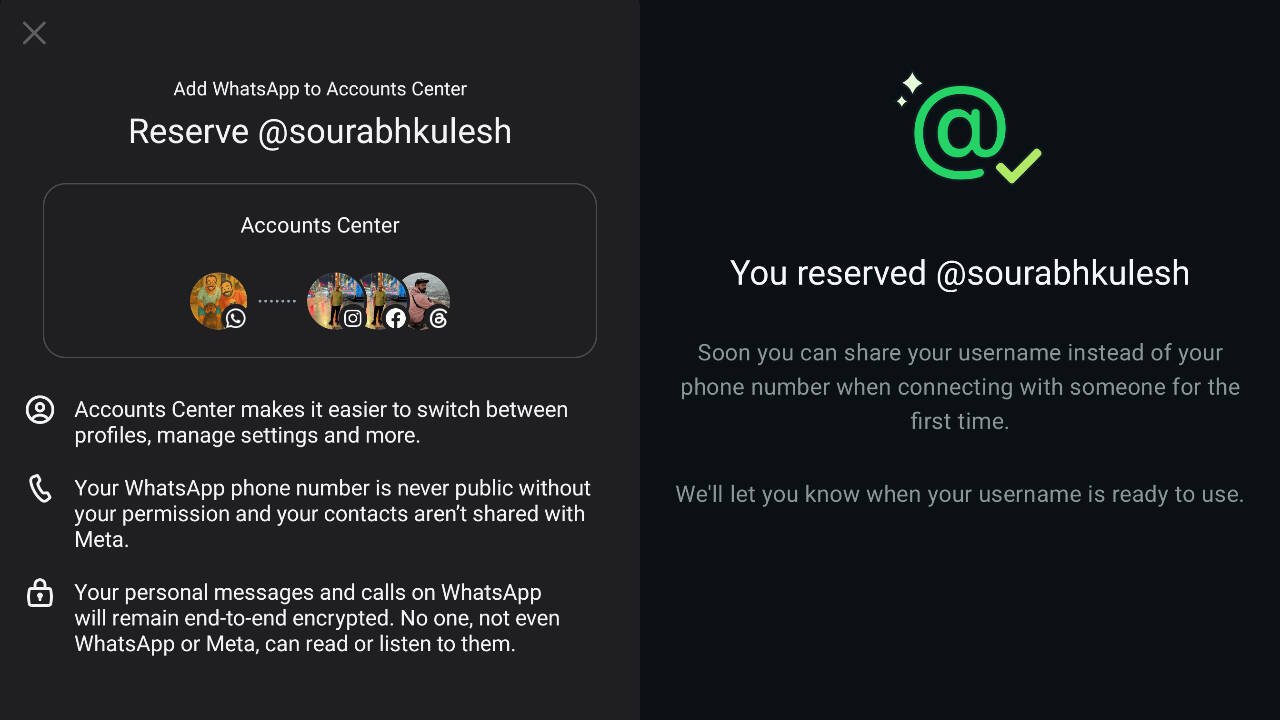
A WhatsApp username solves that problem. Once the full feature is live later this year, sharing username instead of the phone number will let new contacts reach you on WhatsApp while keeping your actual phone number private. The company has confirmed that once someone messages you using your username for the first time, they will not be able to see your phone number, as long as the feature is enabled.
How to reserve your username
Reserving a username takes only a few seconds on the latest version of WhatsApp. Here’s how:
- Update WhatsApp app
- Open WhatsApp and go to Settings
- Tap Account, and select Username.
From there, you can type in a username of your choice. Given that WhatsApp has over three billion users globally, many obvious names are likely to already be taken. If you are unable to find one for yourself, you can borrow the name from Instagram and Facebook by tapping the provided options in the process. You can also edit your username if you think of another one after you have reserved it.“We’ll be rolling out usernames gradually over the coming months and will notify you in WhatsApp when they’re available in your country,” WhatsApp said.
Extra layer of protection: username key
For users who want even tighter control over who can contact them, WhatsApp is introducing an optional feature called a “username key.”If you set one up, anyone trying to message you for the first time using your username will need to know that key as well, in addition to the username itself. “Additional layer of privacy: To control who can message you, you can set up a “username key”, so that anyone messaging you for the very first time via your username will need the key to reach you, adding one more layer of protection for your account. You can change the key at any time,” the company added.